
Guides
BFCM 2026: Shopify Security Checklist and How to Prepare Your Store for Peak Shopping Season
October 24, 2026 • 14 min read
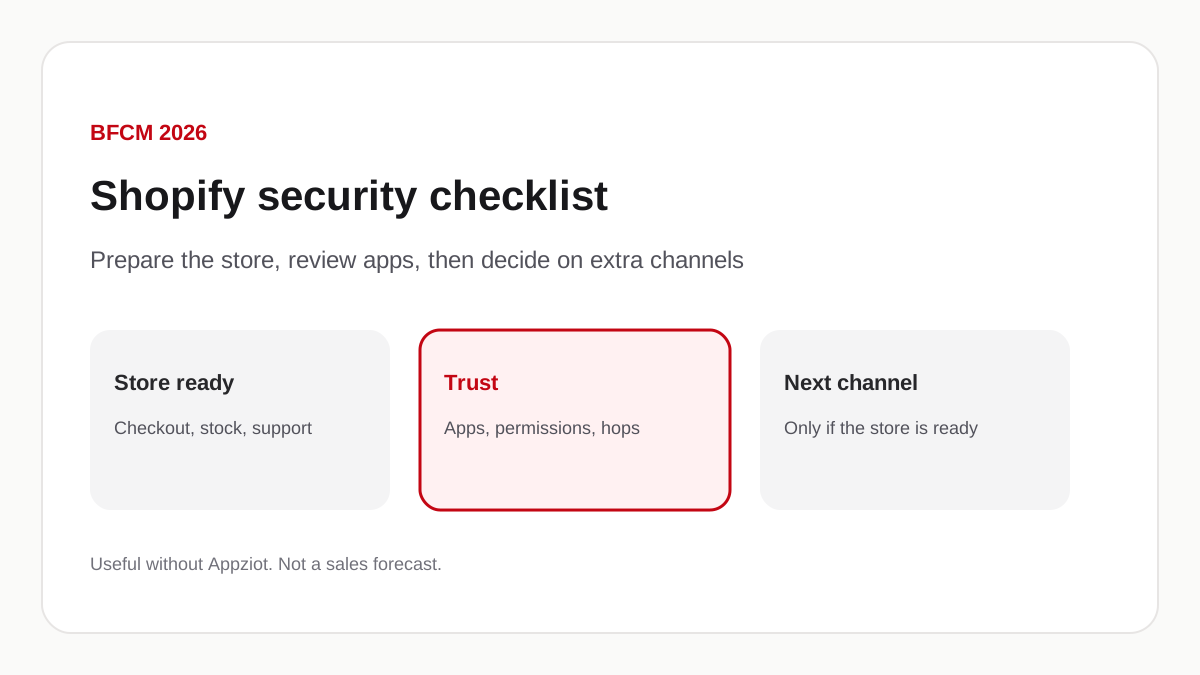
Answer in brief
BFCM preparation is discounts plus a store that still works when traffic rises. Review installed apps, permissions, embeds, and the hop to checkout on every device you sell on. Shopify has not said its checkout system was breached in the October 2026 third-party app reports. A branded mobile app can sit next to the website for customers who already buy again. It is not required, it is not a security shield, and App Store or Play review still happens after the builder work. Appziot is one way to build that app if the store is already ready.
This note is from the Appziot editorial team. Appziot sells a Shopify mobile app builder. The product section later in this article is limited to what we could verify on 24 October 2026. Search demand for these phrases was not available in this environment, so no volume or difficulty number is used.
Black Friday and Cyber Monday (BFCM) is when many Shopify stores run their largest promotions of the year. Shopify’s Help Center page Preparing for seasonal sales treats BFCM as a seasonal sale period: plan promotions, set up the customer experience, and process orders efficiently. Shopify’s own blog published a Black Friday checklist on 28 August 2026. Those pages cover discounts, collections, shipping, and fulfillment. This article adds the work those lists assume: a store that still opens, a checkout hop that still lands on Shopify, and a decision about extra channels after that work is done.
Not every store is in danger. A third-party app can introduce storefront risk. That is not the same sentence as “Shopify checkout was hacked.” The October 2026 vendor statements we already documented are about storefront configuration on specific apps, not a published breach of Shopify’s checkout system. Details and sources are in Shopify checkout security in 2026.
Why BFCM preparation requires more than discounts
A sale increases traffic. It also increases the number of people who hit a slow theme, an out-of-stock product, a payment method that fails, or a support inbox with no one in it. Shopify’s seasonal-sales guide asks merchants to recover abandoned checkouts, update policies, set accelerated checkout and carrier-calculated shipping, hide out-of-stock products, and fulfill in bulk. Those items exist because a promotion that cannot be completed is not a promotion.
Third-party apps sit in that path. Reviews, upsells, wishlists, and tracking tags all load on the way to checkout. If one of them is unused, outdated, or no longer understood by the team, BFCM is a poor week to discover it. Customer trust is the same problem from the other side: a shopper who is sent to an unfamiliar page will not finish, and may not come back after the weekend.
Retention is also a BFCM job. The people who buy on Friday are the people who might buy again in December if you can reach them without buying another ad click. Email, SMS, and, for stores that already have an app, push are tools for that. None of them replace a working checkout.
This page does not estimate lost revenue. If a cart fails, you will see it in your own orders, not in a industry-wide percentage.
Shopify checkout security — what merchants should review
Shopify-hosted checkout is the payment page Shopify operates. Shopify states that it is PCI DSS Level 1 and that this covers stores on its platform (Shopify’s PCI page). The October 2026 reports described storefront code that could send a shopper somewhere else before that page loaded. Shopify’s changelog on 20 October 2026, updated 23 October, added a prompt for unexpected redirects on the online store. That prompt is not a verdict on every new domain, and it does not run inside a mobile app you published yourself.
Before peak week, do the unglamorous review:
- Open Settings, then Apps and sales channels. Remove anything nobody can name.
- Read the permission list on each remaining app. If the job is a banner, ask why it needs orders or customers.
- In the theme editor, open App embeds. Turn off embeds you do not recognize.
- Search the theme for domains you do not own. Shopify keeps older versions of theme files.
- Walk checkout on a desktop, a phone browser, and, if you have an app, in that app. Tap the real checkout control. Read the host before you type.
- Turn on multifactor authentication for Shopify staff, the email those accounts use, and vendor dashboards that can change an app.
- Save each vendor’s status page and security contact next to the app name.
- Decide who calls Shopify Support if a shopper reports a lookalike page. Include the time and the address bar. If someone typed a card number into that page, they should contact the card issuer.
A longer, sourced walkthrough of the October vendor statements is the checkout security article. The difference between a website checkout and an app that opens Shopify’s checkout URL is in mobile app checkout vs. web checkout. This BFCM page does not repeat those incident clocks, and it does not treat named vendors as currently unsafe.
A practical BFCM store readiness checklist
Use this whether or not you have a branded mobile app.
1. Storefront performance
Open the home, collection, and product pages you will advertise. Check them on a phone. Remove theme apps you will not use during the sale. Shopify’s seasonal guide is about promotions and operations; performance is still your theme and your apps.
2. Checkout functionality
Place a test order, or walk to the payment page, from every surface you sell on. Confirm shipping rates, discounts, and gift cards. Shopify lists accelerated checkout and abandoned-checkout recovery on its seasonal page.
3. Payment configuration
Confirm the methods you intend to offer are on, and that a declined card shows a recoverable error. Keep card collection on Shopify checkout unless you have a documented reason not to.
4. Installed app audit
List every app, the person who approved it, and the job it does. Uninstall the rest. An unused token is still a token.
5. Security and access control
Staff accounts, PINs for seasonal help, and multifactor authentication. Remove access for anyone who will not work the weekend.
6. Inventory and product information
Titles, prices, compare-at prices, and images should match the ad. Hide out-of-stock products if that is your policy. Shopify’s seasonal page says to do that so shoppers do not pay for what you cannot ship.
7. Mobile shopping experience
The online store on a phone is the default mobile channel. A branded app is optional. Test the phone website even if you also have an app.
8. Customer support
Shopify’s guide mentions Shopify Inbox and updated policies. Staff should know the refund, late-shipment, and “I was sent to another site” replies before Friday morning.
9. Email and push notification readiness
Abandoned-checkout email is a Shopify setting. Push exists only if customers installed an app and allowed notifications. Appziot includes push on Starter ($99/month) and rich push on Growth ($199/month). Lite ($29/month) does not include push. Write the first message after there is a collection or cart to open. More on timing is in recovering carts with push and Shopify push notifications.
10. Order fulfillment and returns
Shopify’s seasonal page covers bulk fulfillment, the order timeline, and the Shopify App for staff phones. Returns and “where is my order” templates should exist before the first late carton.
Why relying on a website alone may limit customer engagement
The online store remains the channel most new shoppers will use. Search, ads, and email still land there. A store that only has a website is not unfinished.
What a website cannot do by itself is sit on a home screen or send a lock-screen message. Email, SMS, social commerce, and loyalty programs are other ways to talk to people who already bought. A branded mobile app is one more of those, for brands that already have repeat purchases, frequent drops, or a calendar they can fill after Cyber Monday.
Stores that are still finding their first customers, or that sell a product people buy once, should spend BFCM on the website, inventory, and support. An app does not create loyalty that is not there.
Mobile apps and BFCM — an additional channel for customer engagement
A branded iOS and Android app can complement the storefront. Customers who install it get a dedicated catalog, collections, and cart. Push can remind them of a sale they opted into. None of that happens unless they install the app, allow notifications where the OS requires it, and open the message.
A mobile app does not remove web checkout risk. If the app opens Shopify’s checkout URL, payment is still Shopify checkout. If a banner in the app or a script on the website sends the shopper somewhere else, the channel did not save them. That distinction is the subject of the mobile vs. web checkout article.
We do not promise a conversion, revenue, or retention lift from installing an app before BFCM.
How Appziot can help Shopify merchants prepare for BFCM
Appziot publishes this page. This is not an independent audit.
Merchants install Appziot from the Shopify App Store and connect the store they already run. Products, collections, and inventory stay in Shopify. The merchant edits home and product screens in a dashboard. Plans are Lite at $29/month, Starter at $99/month, and Growth at $199/month, each with a 30-day trial. There is no success fee. The live numbers are on the pricing page.
Checkout, in the API we reviewed, returns the `checkoutUrl` Shopify’s Storefront Cart provides. Appziot does not collect the merchant’s card for the subscription; Shopify billing does. Appziot does not collect the shopper’s card on an Appziot payment form; that hop is Shopify checkout if the generated app opens the URL Shopify returned. How the generated iOS and Android app opens that URL was not in the repository we read, so this page does not call that step native, embedded, or a system browser.
Push is a plan feature, not a default. Lite does not include it. People who never install the app never see a push. The preview at demo.appziot.com shows a basic store preview before install. It is not a security scan and it is not an App Store listing.
The website stays live. The app is an extra destination for customers who want it. It is not a replacement for the theme you will advertise on Friday.
Shopify App Store approval is a review of the Appziot app, not a guarantee about your BFCM weekend. We do not claim Appziot prevents redirects, payment fraud, or breaches, and we do not claim it is safer than other builders.
Should you launch a mobile app before BFCM?
Launch only if the store is already ready and you have time to test the whole path: install, browse, add to cart, checkout, and a test push if you use one.
Consider existing loyalty, how often people buy again, your promotional calendar, and who will answer “the app won’t open” on Friday. Publishing still needs the merchant’s Apple Developer and Google Play accounts. Appziot’s site describes builder preparation as little as 24 hours, then Apple and Google review. That review is not a number we control. Do not treat “before BFCM” as a promise we can keep.
If the app would be the first time the catalog, shipping, or checkout is tested on a phone, do that work on the website first. If you already have repeat buyers and want a home-screen destination after the sale, start the trial and preview the app. The how-to is turn a Shopify store into an app. Submission notes are in the App Store and Play Store guide.
Your final BFCM preparation checklist
- Theme, sale collection, and advertised URLs load on a phone.
- Checkout completes, or at least reaches Shopify’s payment page, on desktop, phone browser, and any app you already published.
- Unused apps are gone. Remaining apps have a name, a job, and a contact.
- Staff use multifactor authentication. Seasonal access is limited.
- Inventory and compare-at prices match the campaign.
- Support templates exist for delays, refunds, and a strange checkout URL.
- Email (and push, only if you have an app and consent) has a real destination.
- Fulfillment and returns can absorb the weekend.
- Any new channel, including a mobile app, has been tested end to end or is scheduled after the sale.
Prepare the store. Review the apps that sit on the way to checkout. Build the next customer channel when the first one works. If you want to see whether a branded app fits after that, Explore Appziot and preview your mobile app. If you want the product in more detail, Discover how Appziot can support your mobile commerce strategy.
Frequently asked questions
How do I prepare my Shopify store for BFCM?
Follow Shopify’s seasonal sales guide for promotions, policies, shipping, inbox, and fulfillment. Then add the checklist on this page: test checkout, audit apps, lock staff access, and write the support replies you will need on Friday.
How can I review the security of Shopify apps?
You cannot prove an app is safe from the listing. Read permissions, check embeds, walk checkout in a private window, and keep the vendor’s status page. Shopify App Store approval is a review, not a guarantee. The longer note is Shopify checkout security in 2026.
What should I do if my checkout redirects to an unfamiliar website?
Stop. Do not enter a card number. Note the address and the time. Contact Shopify Support and the developer of any app that was recently installed or that emailed you. If a shopper typed a card number on that page, they should contact the card issuer. Search the theme before you delete files.
Can a mobile app complement my Shopify store?
Yes, as an extra destination for customers who install it. The website stays the discovery channel. An app helps most when people already buy again. It is optional. See Shopify mobile app vs. mobile website.
Are mobile app checkouts inherently safer than web checkouts?
No. Security depends on who hosts the payment page and whether the shopper actually reaches it. Appziot’s API returns Shopify’s checkout URL. That is not a claim that a mobile checkout cannot be phished. The comparison is mobile app checkout vs. web checkout.
How can push notifications support BFCM campaigns?
Only after customers install the app and allow notifications. Use them for a sale they opted into, an abandoned cart, or an order update, with a real screen to open. Appziot push starts on Starter, not Lite. They do not replace email, and they do not create an audience by themselves.
Is a mobile app suitable for every Shopify merchant?
No. If you are still finding product-market fit, or the product is bought once, spend BFCM on the website. If you have repeat buyers and time to test install through checkout, an app can sit beside the store. It is not required for a successful weekend.
When should merchants start preparing for BFCM?
Shopify’s August 2026 checklist treats preparation as work that starts well before the weekend: offers, theme, fulfillment, and retention. App and checkout review should happen before you advertise a URL. A new mobile app should be treated as a project with store-review time after the builder, not as a Friday-morning task.
Build the app with Appziot’s Shopify mobile app builder.