
Guides
Mobile App Checkout vs. Web Checkout: Which Is More Secure?
October 24, 2026 • 13 min read
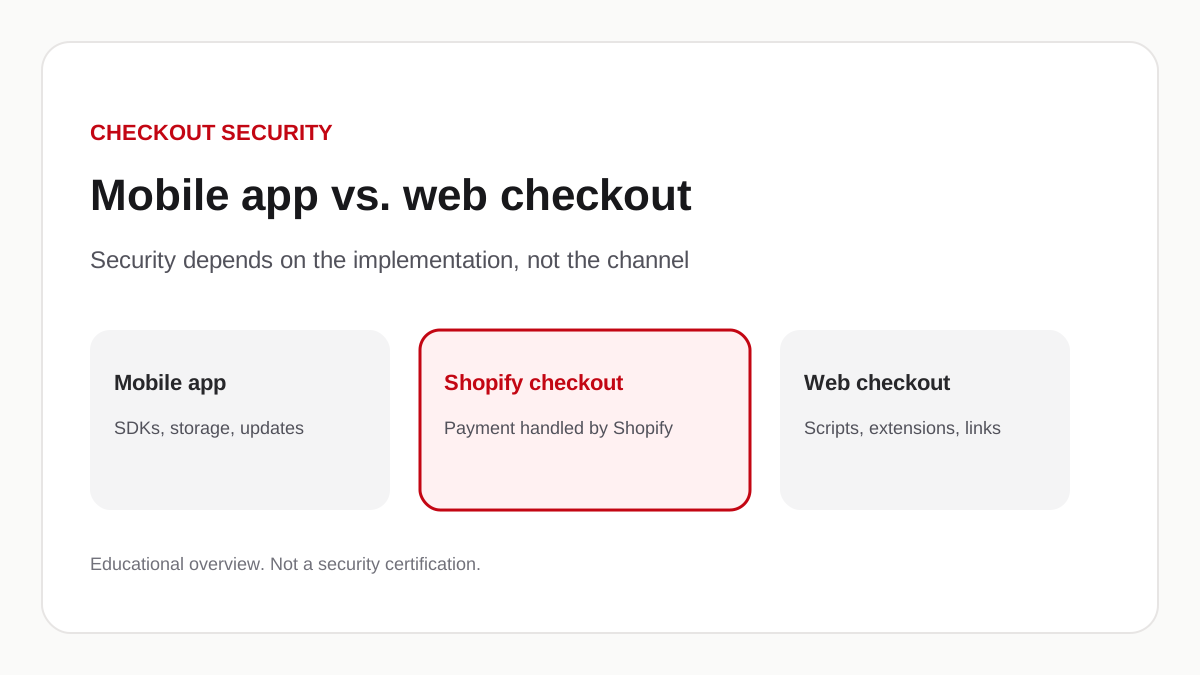
Answer in brief
Neither a mobile app nor a website is automatically safer. What matters is whether payment happens on Shopify’s hosted checkout, how the shopper is sent there, and what other code can run before that click. A well-built app can offer a more controlled catalog and cart. It does not remove phishing, malware, account takeover, or a bad redirect. Appziot’s API returns Shopify’s own checkout URL for the cart. How the generated iOS and Android app opens that URL was not in this repository, so this page does not call that step native, embedded, or a system browser.
This note is from the Appziot editorial team. Appziot sells a Shopify mobile app builder. The product section later in this article is limited to what we could read in the Appziot API and Shopify app configuration on 24 October 2026. The generated iOS and Android app source is not in that repository. We did not invent a search-volume ranking for the title. The question in the heading is the one merchants ask. The answer is not “the app wins.”
Checkout is where a shopper decides whether to type a card number. If that moment feels wrong, the order is not the only loss. Trust is. The channel that got them there, a phone app or a browser tab, is only one part of the design. Four things that people mix up are not the same: the merchant’s own mobile application, checkout in a mobile browser, Shopify’s hosted checkout, and a custom payment form the merchant or an agency built. A sentence that treats those as one “mobile checkout” is already wrong.
How web checkout security works
A typical Shopify web checkout is a page Shopify hosts. The shopper reaches it from the storefront cart. Transport is HTTPS. The browser then applies its own protections: the address bar, certificate checks, tracking-prevention settings, and, when the merchant has set them, content-security rules. Payment is processed by Shopify and the payment providers the store has turned on. Shopify publishes that it is certified PCI DSS Level 1, and that this certification covers stores that use its platform. That statement is Shopify’s, in Shopify’s PCI page. Merchants can read the attestation from the compliance reports page while signed in. We did not download that file for this article.
A properly implemented web checkout can be highly secure. Shopify’s checkout is also a managed runtime. Shopify’s enterprise note on PCI DSS version 4 says third-party scripts in that checkout are isolated, and that merchants using Shopify checkout do not have extra checkout work for those script-integrity rules. Read that as Shopify describing its own checkout, not the product page or the cart drawer. The PCI Security Standards Council’s document library is where the script-management requirements themselves live. Those rules exist because payment-page scripts in a consumer browser have been a target for e-skimming. They apply to whoever hosts the payment page.
The storefront that sits in front of checkout is a different surface. Theme app embeds, custom JavaScript, and browser extensions all run in the shopper’s browser before the Shopify checkout URL loads. The October 2026 reports we summarized in Shopify checkout security in 2026 were about that earlier surface: storefront code that sent a shopper to an external page. Shopify’s 20 October changelog, updated 23 October, added a prompt for unexpected redirects away from the online store. That prompt is a browser-storefront control. It is not a claim that every destination is safe, and it is not a claim about a mobile app.
Cookies and browser sessions are how a website usually keeps a shopper signed in. They can be stolen by malware, a malicious extension, or a phishing page that looks like the store. Multifactor authentication on the merchant’s own Shopify account is a separate control. It does not protect the shopper’s customer account if that account is only a password.
How mobile app checkout security works
A native shopping app is an installable binary. The catalog and cart screens are usually the app’s own interface. Payment is often still a web checkout that the app opens. Shopify’s own Checkout Kit is one way to present Shopify’s hosted checkout inside an app: the app passes a `checkoutUrl`, Shopify processes the payment, and the kit reports completion. That is Shopify’s SDK. Finding it in a vendor’s marketing page is not the same as finding it in that vendor’s binary.
The OWASP Mobile Application Security Verification Standard groups the work a mobile team still has to do: storage of secrets on the device, cryptography, authentication, network traffic, platform APIs, keeping the app and its libraries current, and privacy. Apple documents Keychain Services for storing small secrets on iOS. Android documents the Android Keystore. Those are platform tools. An app that writes a session token into ordinary preferences is not using them. We cannot say which of those a generated Appziot app uses, because that source was not in the repository we reviewed.
RFC 8252, OAuth 2.0 for Native Apps, tells native apps not to collect passwords inside an embedded web view. An embedded view can read keystrokes and cookies, and it hides the address bar the shopper would use to check the host. Android’s Custom Tabs are the in-app browser tab that RFC 8252 points to on that platform. Those documents are about login, not about a payment form, but the warning is the same: if the shopper cannot see the host, they cannot tell Shopify checkout from a lookalike.
Third-party SDKs sit inside the app binary. Analytics, crash reporting, and push providers all receive some data and all need updates. A storefront script can be turned off in the theme editor. An SDK ships until the next app release. Operating-system updates help, and they do not patch an abandoned library inside an old build.
A mobile app can still open a URL a merchant typed into a widget. That is not “the app is the checkout.” It is a web view or a browser sitting next to the catalog. If that URL is not the Shopify checkout URL the cart API returned, the shopper has left the payment path the builder claimed to use.
Mobile app checkout vs. web checkout
The table is a comparison of typical designs, not a scoreboard. No row is a win for every store.
| Security consideration | Mobile application | Web checkout |
|---|---|---|
| Authentication | Can use a store session, biometric unlock, or a customer login the vendor implemented. Each of those is a different design. A stolen device and a token stored in the clear are still account-takeover paths. | Usually cookies and a password or a sign-in provider. Browser password managers and passkeys help when the site supports them. Malware and phishing pages still collect those secrets. |
| Phishing | An App Store or Play listing is a stronger entry point than a random search result. It does not stop a push notification, an email, or an in-app banner from sending the shopper to a lookalike page. | Shoppers arrive from search, ads, and email. The address bar is visible. Shopify’s unexpected-redirect prompt can interrupt some hops off the online store. New domains can still be used. |
| Third-party code | SDKs compiled into the app, plus any web view the app opens. Updates wait on a store release. | Theme scripts, app embeds, tags, and browser extensions. A vendor can change a remote script without a new theme file. |
| Session management | Tokens may live in memory, in platform secure storage, or in ordinary files. The MASVS storage group exists because the last of those is common. | Cookies, local storage, and server sessions. Scope and expiry are the merchant’s and the platform’s job. |
| Payment processing | If the app opens Shopify’s `checkoutUrl`, Shopify and the configured providers process the card. If the app hosts its own card form, PCI scope changes. Shopify’s Checkout Kit still uses Shopify checkout. | Shopify-hosted checkout keeps card data on Shopify’s payment page. A custom checkout the merchant built is a different product and a different compliance job. |
| Updates | The binary, its SDKs, and the operating system each have a release cycle. An unmaintained app stays installed. | The hosted checkout updates when Shopify ships it. The storefront updates when the merchant or an app changes the theme. |
| Customer privacy | Device identifiers, push tokens, and crash logs are extra data a website never had. Privacy nutrition labels and Play data-safety forms are the public list. | Cookies, pixels, and server logs. A theme can load more of those than the checkout page does. |
Security depends on the implementation and on the attacker. A locked-down Shopify checkout opened from a well-reviewed app is a different threat model from a custom card form inside an embedded view, and both are different from a theme with an unknown script on the product page.
Where mobile apps can offer advantages
When the application is built and maintained with care, a few properties help. They are properties, not a vaccine.
The catalog and cart can be screens the vendor ships, not a theme that every installed app can edit. Shoppers who already installed the app are not discovering the brand through a lookalike search ad in that moment. Navigation can stay inside named product, collection, and cart routes. The platform can offer Face ID, fingerprint, or a device passcode as a local gate. Push can reach a shopper who opted in, which is useful for an order update and also useful to an attacker who has the same channel.
None of that prevents checkout hijacking, phishing, or payment fraud. A banner in the app can still open a URL. A stolen customer password still works at Shopify checkout if that checkout is not using a second factor. A compromised SDK can still read what the app can read.
Why secure payment processing matters more than the channel
The card should be typed, if it is typed at all, into a payment page the merchant has a reason to trust. For a Shopify store that page is Shopify checkout, reached from a `checkoutUrl` the Storefront Cart API returns. Shopify’s documentation says that URL sends the buyer through Shopify’s web checkout. Replacing that with an unverified custom form moves PCI work onto the merchant and whoever built the form. This article does not recommend that swap.
The hop to that URL still has to be the real hop. A storefront script or an in-app banner that sends the shopper somewhere else is the failure, whether the catalog was a website or an app. Keep payment data out of application logs. Validate what the server accepts. Review every app that can change a script or a destination. Those jobs sit on top of Shopify’s hosted checkout. They are not replaced by it.
How Shopify merchants can improve checkout security
These steps apply to the website, the app, or both. They do not patch a vendor you do not control.
- Keep Shopify apps current, and remove the ones nobody can explain. An unused token is still a token.
- Read the permission list on the install screen. Ask why an app that draws a banner needs orders or customers.
- Watch for checkout URLs that leave `myshopify.com` or the store’s own connected domain. Shopify’s redirect prompt is one signal on the online store. The app still needs its own test.
- Walk the same cart to checkout on a phone browser and, if you have an app, in that app. Use a fresh private session on the web. Tap the real checkout control in the app. Read the host before you type.
- Turn on multifactor authentication for Shopify staff, the email those accounts use, and any vendor dashboard that can change an app.
- Review theme embeds and custom JavaScript the same week you review the app’s widgets. The October 2026 incident write-up is the longer checklist for storefront scripts.
- Ask each app vendor for a status page and a security contact. Store those next to the app name.
- Keep checkout on Shopify’s supported payment integrations unless you have a documented reason and a documented PCI path not to.
- Write down who you call if a shopper reports a lookalike page: Shopify Support, the card issuer if a number was typed, and the developer of the app that was open at the time.
What this means for Shopify mobile app builders
A builder is another Shopify app with permissions, plus a compiled storefront. Before you pick one, ask questions you can verify on a trial.
Where does checkout open, and is the URL the `checkoutUrl` from Shopify’s cart? Does anyone in the dashboard have a field that can point that tap at a different host? Which Shopify scopes does the install request? What customer data sits on the vendor’s servers, and for how long? How does a shopper sign in, and is that login in a system browser or an embedded view? Which SDKs ship in the binary? How fast does the vendor ship an update when a library is patched? Who do you email on a Sunday if a shopper hits a bad page?
Shopify App Store approval is a review. It is not a certificate that the generated app, next year’s SDK, and every merchant-typed URL will stay safe. Do not rank builders on security from their pricing pages. We have not audited Shopney, Superfans, or the others for this article, and we do not claim Appziot is more secure than they are.
How Appziot supports mobile commerce
Appziot publishes this page. This is not an independent audit and not a comparison ranking.
On 24 October 2026 we read the Appziot API service and the Shopify app configuration in this workspace. Merchants install through Shopify OAuth. Cart routes require a mobile session token. Starting checkout calls Shopify’s Storefront API and returns the `checkoutUrl` on that cart. If Shopify does not return a URL, the API refuses the checkout. The Shopify extension in this repository is a sales-channel configuration. A search of the API service did not find a mutation that writes a script tag into the online store theme.
The same review found widgets that accept an external link and a collection banner that loads a URL in a web view. Those fields are strings. We did not find an allowlist that limits them to the merchant’s domain. A merchant can therefore put a non-checkout URL on a screen that shoppers tap. That is a configuration risk, not a reason to call the catalog “the checkout.”
We did not have the generated Flutter app in this workspace. We cannot say whether that app opens Shopify checkout in Shopify Checkout Kit, a system browser, or an embedded view. We cannot say how it stores the session token on the device. We cannot list the SDKs in the binary. The factory notes mention Firebase and OneSignal as part of a branded build. That is a documented pipeline, not a review of a shipped app.
Appziot’s subscription is billed through Shopify. The public plans are on the pricing page. How to build the app is on the Shopify store app page. You can preview a store before you install. The preview is a look at branding and catalog, not a security scan.
A well-designed mobile app can make the path from product to cart easier to follow. Security still depends on the payment host, the hop to that host, the integrations, and the updates. If you want to look at Appziot in that light, Explore Appziot and preview your mobile app. If you want a conversation first, talk to our team about building your Shopify mobile app.
Frequently asked questions
Are mobile app checkouts safer than website checkouts?
Not automatically. A mobile app can hide a messy theme from the shopper. Payment is still as safe as the page that collects the card and the hop that got them there. A website that uses Shopify-hosted checkout can be highly secure. An app that opens a lookalike URL is not.
Is Shopify checkout secure on mobile?
Shopify processes payment on its hosted checkout, including when a mobile shopper reaches that page. Shopify states that it is PCI DSS Level 1 and that this covers stores on its platform. A mobile browser showing that page is still a browser. An app that opens the same `checkoutUrl` is using the same payment host. The wrapper around it is the variable.
Can a mobile app checkout be compromised?
Yes. A malicious or sloppy SDK, a token stored in the clear, a banner that opens the wrong host, or a phishing message that looks like the brand can all put a shopper on a page that is not Shopify checkout. Compromising the app is not required if the shopper can be talked into leaving it.
Do mobile applications prevent checkout phishing?
No. They can reduce one path, a shopper typing a lookalike domain into a search box, if the person already installed the real app. They do not stop email, ads, push, or an in-app link from sending that person to a fake page. RFC 8252 also warns that an embedded web view hides the address bar a shopper would use to check the host.
Is Shopify-hosted checkout safer than a custom checkout?
For a Shopify merchant, Shopify-hosted checkout keeps card collection on a PCI-certified platform Shopify already operates. A custom form the merchant or an agency hosts is a different system with its own PCI work. This article does not recommend replacing Shopify checkout with an unverified custom payment page.
What should merchants check before choosing a mobile app builder?
Ask for the checkout URL source, whether a dashboard field can override it, the Shopify scopes, the login method, the SDK list, the update cadence, and the incident contact. Then run a trial and tap checkout yourself. Appziot’s API returns Shopify’s `checkoutUrl`. How the generated app opens that URL was not in the repository we read. Compare builders on the job you need, using the builder checklist, not on an unverified security ranking.
How can merchants improve security across mobile and web checkout?
Use Shopify checkout, test the hop to it on both surfaces, remove unused apps, read permissions, turn on staff multifactor authentication, and keep a contact list for the day a shopper reports a bad page. The longer storefront-script checklist is in the October 2026 incident article.
Build the app with Appziot’s Shopify mobile app builder.