
Guides
Shopify Checkout Security in 2026: What Merchants Should Know About Third-Party Apps
October 24, 2026 • 14 min read
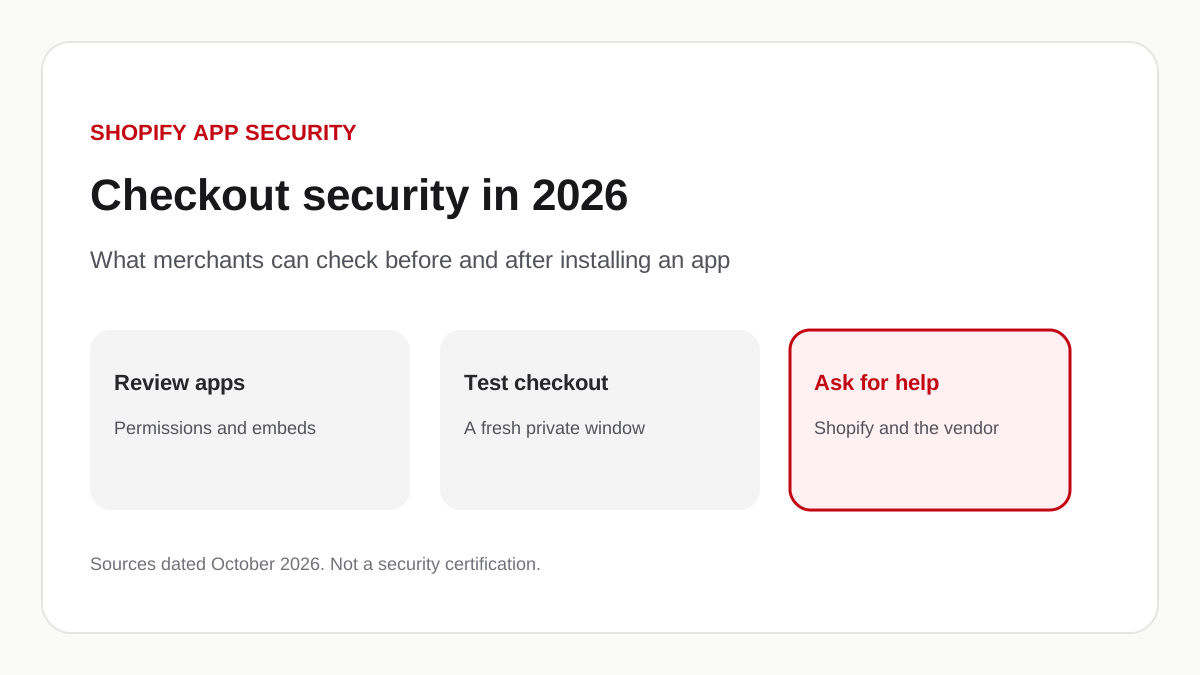
Answer in brief
In October 2026, Hulk Product Options, Selleasy, and Swym Wishlist Plus each said unauthorized changes caused storefront code that could send shoppers to an external page. Shopify did not say its checkout system was breached. It added a warning for unexpected redirects and told app developers to tighten their own apps. A safe-looking app is not a guarantee. Review permissions, test checkout in a private window, and contact Shopify and the app developer if a shopper is sent to an unfamiliar site.
This note is from the Appziot editorial team. Appziot sells a Shopify mobile app builder, so the product section later in this article is ours. The incident summary is limited to sources we read on 24 October 2026. We did not investigate the affected stores ourselves, and we did not retest the apps named below.
Third-party apps are how most Shopify stores add product options, upsells, wishlists, reviews, and, in Appziot’s case, a branded iOS and Android app. Those apps are useful because Shopify lets them change the storefront or read store data. That same access is why a problem in an app can show up on a store the merchant did not write. Shopify App Store approval is a review, not a promise that an app can never be abused later.
In October 2026, three app companies published statements about shoppers being sent away from the store during checkout. The dates and the wording are not the same. This article keeps those statements separate. It does not treat every app outage that month as one breach, and it does not say that Shopify’s own checkout was compromised. Nothing here says those companies are unsafe today. A vendor’s “safe to use” sentence is that vendor’s claim. It is not an independent finding.
What happened in the October 2026 Shopify checkout security incident?
Three vendors described unauthorized storefront behavior in the same month. The public record does not show one shared root cause.
Hulk Product Options
HulkApps said the problem started on 10 October 2026. In a reply reproduced by developer Roman Zipp, the company said an exploit introduced unauthorized configurations into Hulk Product Options, that those configurations affected the app’s theme extension, and that some checkouts were redirected to a fake external checkout page. HulkApps said a sweep found no evidence that its other apps delivered those redirects. It said Shopify temporarily disabled the theme extension, then restored it after the unauthorized code was removed. It also said it had strengthened authentication and hired an outside firm. We did not find a standalone incident page on HulkApps’ own site during this review. The statement we are using is the 15 October 2026 reply on Roman Zipp’s investigation. iTnews, 16 October 2026, quotes a shorter HulkApps LinkedIn post with the same outline.
Zipp’s write-up is an independent technical investigation. He reported that the extension file served from Shopify’s CDN looked unchanged, and that the redirecting script arrived in a configuration response from the app and ran in the shopper’s browser. That is his finding, not a sentence from HulkApps. We are not republishing the script.
Selleasy
Logbase, which makes Selleasy, published a status note last updated 16 October 2026. It says that on 13 October Selleasy was the victim of a planned attack, that an unauthorized script was injected into some stores, and that the script redirected customers to a phishing page outside Selleasy’s environment. Logbase says it has not found evidence of a data breach or leak in the Selleasy backend or database. It says it reported the incident to Shopify, that Shopify confirmed the malicious code was removed the same day, that affected merchants were contacted, and that an independent firm is auditing the incident. The page says Selleasy is safe to use. Read that as Logbase’s status, not as a test we ran. The page is Selleasy’s incident update.
iTnews, in the 16 October article linked above, quotes Logbase’s founder saying an unauthorized party gained access to an internal Selleasy tool and used it to add a script to the settings of a number of stores, between 07:47 and 15:00 UTC on 13 October. iTnews also reported that the Shopify App Store listing showed the app as unavailable that day. We did not recheck that listing on 24 October. The same article says a Shopify support message asked one affected Australian store to keep the storefront password-protected while Shopify’s confirmation was still pending, and a 19 October update says Shopify later told that merchant the store could reopen. One store’s support thread is not a description of every store.
Swym Wishlist Plus
Swym’s own FAQ is dated 20 October 2026. It says unauthorized activity over the previous week tried to add malicious code through Wishlist Plus so shoppers would be redirected away from some stores. Swym says it paused the app for every merchant, not only the stores it believed were affected, and that it revoked Shopify access for Wishlist Plus and its other apps. It says it has found no evidence that merchant data or customer personal information was compromised inside the app. It also says that if a shopper visited the external site and entered details there, that data may have been compromised. Swym published one domain it told merchants to search for in theme files, checkout-guard.top, and said similar attacks had used account-confirm.top, billing-confirm.top, and checkout-secure.top. The FAQ is Wishlist Plus Security Incident FAQ.
A later compilation by Roman Zipp gives a narrower clock for Swym on 14 October. That clock is not on the Swym page we read. Use Swym’s FAQ for what Swym has confirmed, and do not assume a blog’s timeline is the vendor’s timeline. We also did not confirm whether Wishlist Plus had been restored after 20 October.
What Shopify has said
Shopify’s public posts in this period do not say that Shopify’s checkout codebase was breached.
On 20 October 2026 Shopify’s changelog announced protection against unexpected redirects. The 23 October update says the online store blocks links Shopify has identified as malicious, asks the customer to confirm links it treats as suspicious, and otherwise lets the customer continue. Domains connected to the store, and supported Shopify and social sites, do not trigger the message.
The same day, Shopify published Securing your app, together for app developers. It says attacks on the app ecosystem are increasing. It asks developers to run Shopify’s security check, move toward expiring access tokens, scan their endpoints, treat rendered data as untrusted, review API logs, turn on two-step authentication for every account that can touch the app, and keep an emergency contact current. It says Shopify is tightening the boundaries for storefront app code and raising App Store security requirements, with details to come before those changes take effect. Developers who suspect an incident are told to write to Shopify’s partner security address, fix the problem, and notify affected merchants.
On 17 October, a Shopify spokesperson told iTnews that apps in the App Store have to meet Shopify’s security and privacy standards, that Shopify can delist an app, and that merchants can review an app’s activity and permissions. Delisting does not, by itself, prove how an app was changed. It also does not uninstall an app that is already on a store.
Why third-party app security matters
A Shopify app can be allowed to add a block to the theme, load a script on the product page, or read products, orders, and customers through the Admin API. Those are ordinary permissions. They are also the reason a merchant cannot judge an app only by the icon in the admin.
The October reports are about storefront code: a script or configuration that ran on the shopper’s page and interfered with the path to checkout. That is not the same claim as a compromise of Shopify’s checkout servers. A lookalike page can sit on someone else’s domain, collect what a shopper types, and even send the shopper onward to the real checkout. The order can still complete. The damage, when it happens, is what the shopper typed into the page that was not Shopify.
A theme that looks familiar does not rule this out. The script can be loaded by an app embed after the theme file itself is clean. A private-window test that never clicks the real checkout button can also miss a redirect that only runs on that click. Zipp reported that pattern for the Hulk case. Treat it as an investigation finding about that incident, not as a description of every app.
Permissions matter for a different reason. An app with order and customer access can read data even if it never changes the theme. An app with no storefront embed can still be the wrong app to keep if nobody on the team remembers why it was installed. Security here is mostly housekeeping: know what is installed, what it is allowed to do, and who at the vendor can change it.
How to protect your Shopify store
These steps are merchant checks. They do not remove a vulnerability inside an app you do not operate.
- In Shopify admin, open Settings, then Apps and sales channels. Remove apps no one can explain. An unused app is still an app with a token.
- Open each remaining app and read the permissions it requested. If the app does not need orders or customers for the job you hired it to do, ask the developer why those permissions are there before you keep it.
- In Online Store, then Themes, then Customize, open App embeds. Turn off embeds you do not recognize. Swym’s FAQ tells merchants how to hide its own embeds while that app is paused. Follow the vendor’s note for that app rather than guessing.
- Place a test order, or at least walk through checkout, in a fresh private browser window. Use a normal click on the checkout button. Do it again after you install or update an app that touches the product page.
- If the browser leaves your store, read the address before you type anything. Shopify’s 23 October change is supposed to block destinations Shopify already considers malicious and to ask before a suspicious one. It will not flag every new domain. A prompt is a prompt, not a verdict.
- Search the live theme’s code for domains you do not own, and for the names Swym listed on 20 October if you used Wishlist Plus. Shopify keeps older versions of theme files. If an app edited a file you do not recognize, duplicate the theme and revert that file, or ask a developer to do it, before you delete the copy.
- Turn on multifactor authentication for Shopify staff accounts, the email those accounts use, and the vendor accounts that can change an app. Shopify’s 20 October developer note asks partners to do the same on their side. You can only do it on yours.
- Keep a list of installed apps, the person who approved each one, and the job it does. When a vendor emails you about an incident, you will know whether you are a customer.
- If a shopper reports an unfamiliar checkout page, contact Shopify Support and the app developer. Include the page, the time, and a screenshot of the address bar. Do not send the shopper back to the page to “try again.” If someone may have typed a card number into a lookalike form, they should contact their card issuer. Swym’s FAQ makes that distinction: the app vendor does not automatically know what was typed on a site it does not run.
What to look for before installing a Shopify app
The install screen is the last moment the permission list is easy to see. Read it. A long list is not proof the app is dangerous, and a short list is not proof it is safe. The question is whether the access matches the feature.
Ask how the app authenticates merchants. A Shopify app should send you through Shopify’s own install flow, not a form that asks for your staff password. After install, ask whether the vendor’s staff can change a script, a label, or a theme setting on your store without a new install. The Selleasy and Hulk reports both describe storefront behavior that changed because an app configuration changed. That is the pattern to ask about, in plain language: who can edit code that your shoppers will run?
Ask what the app stores, where, and for how long. Ask whether card data ever touches the vendor. Swym’s FAQ says Swym does not collect card data, and that a shopper can still be harmed by typing a card into an external page. Those are different sentences. You want both.
Ask who maintains the app, how they tell merchants about a security problem, and where the status page is. A vendor that will not say how it notifies merchants is a vendor you will hear from through a customer screenshot.
Ask for security documentation, and read what it actually certifies. A marketing page that lists controls is not a certificate. If the vendor cites a report, ask for the date and the scope. Do not treat “available on the Shopify App Store” as that report.
How Appziot approaches application security
Appziot publishes this article and sells the product in this section. This is not an independent audit. On 24 October 2026 we read the Appziot application repository and the Shopify app configuration in that repository. We did not run a penetration test, and we did not find a SOC 2 report, an ISO 27001 certificate, or an independent test report in that repository. Do not read the next paragraphs as a promise that Appziot cannot have a vulnerability.
Merchants install Appziot through Shopify OAuth. The install callback checks Shopify’s request signature before the shop is treated as installed. When the embedded admin opens, the server checks Shopify’s session token and continues only if the shop inside that token is the shop being opened. Those are checks we can see in the code. They do not cover every screen in the product.
Appziot’s own subscription is created with Shopify’s Billing API. The charge is Shopify’s charge. Appziot does not ask for the merchant’s card on an Appziot payment page for that subscription. The mobile app’s checkout link is the checkout URL Shopify returns for the cart. Payment for an order is Shopify checkout, not a card form hosted by Appziot. That is a statement about the cart code we read. It is not a statement that no screen in the app can open a web page. A widget can be given a web address. A web address is not a theme script, and it is also not “no effect on what the shopper sees.”
The Shopify extension in this repository is a sales-channel configuration. It is not a theme app extension. A search of the API service did not find a feature that writes a script tag into the online store theme. That is why Appziot is not the same kind of storefront injection the October reports describe. It is not a claim that the design can never change, and it is not a claim about apps built by other companies.
The app configuration requests a broad set of Shopify permissions, including products, orders, customers, inventory, discounts, and validations. Read that list on the install screen and decide whether it matches the mobile app you want. We are not calling that list minimal. A global rate limit is registered on the API. Shopify webhooks are passed through Shopify’s webhook processor, and an empty webhook body is rejected. Production URLs in the app configuration use HTTPS.
What we are not saying: that tokens are stored in a way an outside auditor has certified, that staff accounts use multifactor authentication, that every callback has been reviewed by a third party, or that Appziot is immune to the class of incident in this article. The public Data Security page describes organizational measures in broader language. If a sentence is not in this section, we did not verify it for this article.
If you want to see the product before you install it, preview your mobile app. The preview does not review your store’s other apps. Plans are on the pricing page. How to build the app is on the Shopify store app page.
Shopify app security checklist
Use this before you install an app, and again when a vendor emails you about an incident.
- Name the job the app does. If you cannot name it, do not install it, or uninstall it.
- Read the permission list on the Shopify install screen. Keep a copy.
- Confirm the install happens on Shopify, not on a page that asks for your staff password.
- After install, open App embeds and the theme code and note what the app added.
- Click checkout in a private window and read the address before you type.
- Turn on multifactor authentication for Shopify, email, and the vendor’s dashboard.
- Store the vendor’s security contact and status page next to the app name.
- When a shopper reports a strange redirect, contact Shopify Support and the developer with the time and the address. Tell the shopper to contact their card issuer if they typed a card number into a page that was not your store.
- Re-read this list when you add a Shopify mobile app builder. A builder that publishes an iOS and Android app is still a Shopify app with permissions. Compare builders on the job you need, using the guide to choosing a builder and the criteria checklist. Do not pick one because a security article made it sound safer than the others.
A note on mobile apps
A branded mobile app does not replace the checks above. Shoppers who install your app still reach checkout through whatever path that app uses. For Appziot, that path is Shopify’s checkout URL. Other builders may differ. Ask them where checkout is hosted before you treat “mobile app” as a security boundary. The longer comparison of an app and a mobile website is Shopify mobile app vs mobile website. The install path, if you already want to try the editor, is the guide to turning a store into an app.
Security stays a shared job. Merchants choose what to install and how to react when a shopper reports a bad page. Developers choose what their app can change on a storefront and how fast they can shut that off. Shopify sets the platform rules and, in October 2026, added a customer prompt for unexpected redirects. None of those three replaces the other two.
If you want to talk through a mobile app for a store you already run, talk to our team about building your Shopify mobile app. If you would rather look first, Explore Appziot and preview your mobile app.
Frequently asked questions
Was Shopify’s core checkout compromised in the October 2026 incident?
Shopify has not said that. Its 20 October 2026 changelog added protection against unexpected redirects to other websites, and a 23 October update narrowed that prompt to suspicious and known-malicious destinations. The developer note from 20 October talks about attacks on apps and about storefront app code. The vendor statements describe scripts or configuration on their own apps. That is storefront behavior, not a published breach of Shopify’s checkout system. Source: Shopify’s redirect changelog.
How can I check whether a Shopify app is safe?
You cannot prove an app is safe from the listing alone. Read the permissions, confirm the install uses Shopify, look at the app embeds it adds, and click through checkout in a private window. Ask the developer how they notify merchants and whether they publish a status page. Treat a vendor’s “safe to use” update as their statement. Shopify App Store approval is not a guarantee. Shopify told iTnews on 17 October 2026 that it can delist an app that falls short of its standards.
Can third-party apps affect a Shopify storefront?
Yes. Apps can add embeds, load scripts, and change what a shopper sees on product and cart pages when the merchant has granted that access. The October 2026 reports are examples of storefront code sending a shopper to an external page. An app that does not add a theme embed can still read store data if its permissions allow it. Review both the embed list and the permission list.
What should I do if my checkout redirects to an unfamiliar website?
Stop. Do not enter a card number. Note the full address and the time, then contact Shopify Support and the developer of any app that was recently installed or that emailed you about an incident. If a shopper already typed a card number into that page, they should contact the card issuer. Swym’s 20 October FAQ asks merchants to report the page and the time, and it lists domains to search for in the theme. Search your theme before you delete files, and keep a copy.
How can I evaluate a Shopify mobile app builder?
Ask where checkout is hosted, which Shopify permissions the install requests, and who can change what shoppers see. Then judge the builder on the job you need: catalog, push, and price. Appziot’s checkout link is Shopify’s checkout URL, and its subscription is billed by Shopify. That is not a ranking against other builders. Start with the builder checklist and the product page, or preview the app before you install.